
.albums.
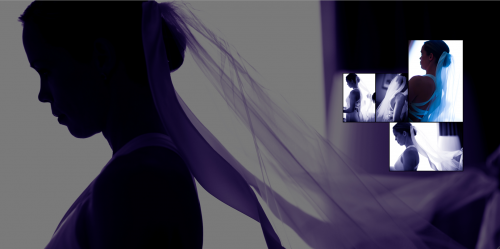
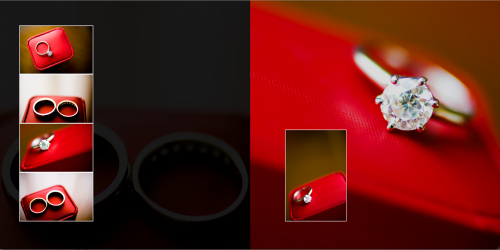
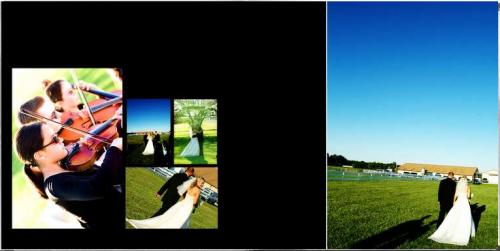
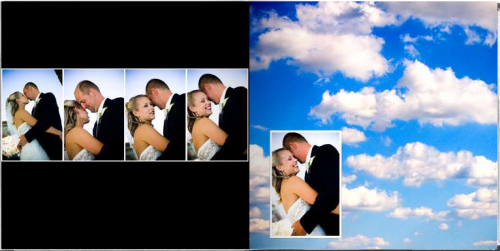
2006-05-10 15:55:06I have been having such fun designing albums lately! Also…I’ve been receiving such kind feedback about Jenny and Tom’s wedding…since their wedding has now been on the blog for a while now! Soo…I though you might enjoy seeing the album I designed for them! I’ve also had a few requests to see my album designs…so here are two! I really hope you like them! (click on any of the images or the link below to see it!!)
CLICK HERE TO SEE JENNY AND TOM’S ALBUM!!!
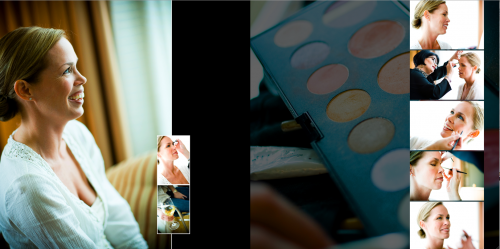
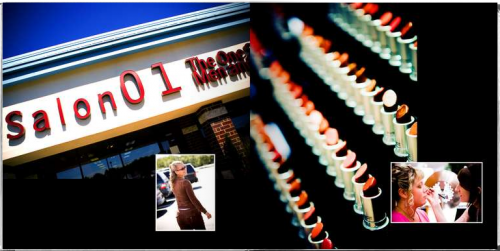
Also, I did a special album for my sister…whose wedding I shot, with the help of several great friends! Soo…I’d love to show you that album too! I hope you enjoy it! (click on any of the images or the link below to see it!!!)
CLICK HERE TO SEE JENNY AND CHRIS’ ALBUM!!!!
WOW WOW WOW WOW!!! Absolutely stunning jess!! Have they seen this yet?? They are going to fall in love with it!
Hey Amy! 🙂 Thanks…you are always SOO kind! I really appreciate it!!:) Yes, they have seen them and yes, they do love them!!
Oh…and about your comment a while back…you’re welcome to come hang out with me for a wedding…not sure it’d would be all that great for you, i’m not terribly exciting…but you’re welcome to hang out! I have a wedding I need help for in July!?! Just a thought! Let me know! 🙂
What’s the July date?? How far are you from Chicago?? Couple hours? I might just take you up on that if i’m free for the date!
The albums look GREAT! You are so going to shoot our 5 year anniversary photo session in September! Plus do an album! 🙂
On a sad note…CAN YOU BELIEVE OUR GUY WAS BOOTED OFF IDOL TONIGHT JESS??? We are so done with that show! 🙂
Amy, we can speak from experience…you will be so inspired after you work with Jess on a wedding day! She really raises the bar…even for us hack videographers! 🙂 It would be well worth the drive!
Hey Jess…if Amy cannot make it…I have an old 2.0 mega pixel Hewlett Packard point and shot that I could bring to help you out. 🙂 What a minute…never mind…you couldn’t afford me as an assitant! 🙂
amazing..gorgeous..beautiful..bold..eye-catching.
Wow…you all ROCK!!! Thank you soo soo soo much for your kind words!!! I can’t even tell you how much I appreciate it!!!!
Amy…the date is July 1st! I’m 2 & 1/2 – 3 hours from Chicago! No pressure at all…just let me know! (B&C..there is no way you are available that day, but thanks for the point & shoot offer..sure is hard to resist!)
L….thanks! love you!!
OH..and on a COMPLETE side note, B&C…I am STILL IN SHOCK that Chris got voted off Idol!!! I still haven’t accepted it! 🙁
INCREDIBLE! I love it Jess! Your series shots are so great!!!! WOW! Geez, that must hve been over 300 images…right?
Bummer, I am already booked that date! I have nothing going on the last two weekends in July though, which is SO bizarre! And I also haven’t booked anything for October yet, which is usually my busiest month. I don’t quite get it.
No problem..Amy! Just thought I’d ask! 🙂 I know, booking in the wedding industry is such a mystery! I know some people who have had the worst year ever, this year…and some who have had the best year ever….some who have like 20 bookings for 07 and some who have none! It’s soo wierd!
like i said before your albums freaking ROCK
I saw the album first on Gary’s blog and it is absolutely gorgeous. You are very talented and I love looking at your photography.
Hey Jessica, found you through OSP. Would you mind being syndicated through a site I recently made? Let me know if you have any objections.
I absolutely adore your work. Your blog is on my list of sites I hit every day. I am continually amazed and inspired by your work. Okay, enough gushing.
I’ve been shooting weddings for about ten years for another studio, and now have decided to make a go of it on my own. I really like the style of your albums. Care to share the name of your vendor?